

Excel Hacks : Tips and Tools for Streamlining Your Spreadsheets
, by Hawley, David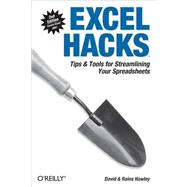
- ISBN: 9780596528348 | 0596528345
- Cover: Paperback
- Copyright: 6/1/2007
With this updated second edition, Excel power users can bring a hacker's creative approach to both common and uncommon topics for Excel 2007 -"hackers" in this sense being those who like to tinker with technology to improve it. The tips and tools in Excel Hacks include little known "backdoor" adjustments for everything from reducing workbook and worksheet frustration to hacking built-in features such as pivot tables, charts, formulas and functions, and even the macro language. This resourceful roll-up-your-sleeves guide is for intermediate to advanced Excel users eager to explore new ways to make Excel do things.
David Hawley of Perth, Australia is a professional Microsoft Excel consultant whose company, OzGrid Business Applications, offers services in all aspects of Excel, and VBA for Excel. The company's web site at www.ozgrid.com provides online and email Excel training, a directory of useful Excel add-ins, a user forum, and lots of tips and tricks.
Raina Hawley of Perth, Australia is a professional Microsoft Excel consultant whose company, OzGrid Business Applications, offers services in all aspects of Excel, and VBA for Excel. The company's web site at www.ozgrid.com provides online and email Excel training, a directory of useful Excel add-ins, a user forum, and lots of tips and tricks. Raina is also a lecturing team member at West Australian Institute of Management (WAIM) with specific expertise in Word, Excel, Powerpoint, Internet and email.
| Credits | p. xiii |
| Preface | p. xv |
| Reducing Workbook and Worksheet Frustration | p. 1 |
| Create a Personal View of Your Workbooks | p. 5 |
| Enter Data into Multiple Worksheets Simultaneously | p. 8 |
| Prevent Users from Performing Certain Actions | p. 11 |
| Prevent Seemingly Unnecessary Prompts | p. 15 |
| Hide Worksheets So That They Cannot Be Unhidden | p. 19 |
| Customize the Templates Dialog and Default Workbook | p. 21 |
| Create an Index of Sheets in Your Workbook | p. 23 |
| Limit the Scrolling Range of Your Worksheet | p. 26 |
| Lock and Protect Cells Containing Formulas | p. 30 |
| Find Duplicate Data Using Conditional Formatting | p. 34 |
| Find Data That Appears Two or More Times Using Conditional Formatting | p. 35 |
| Tie Custom Toolbars to a Particular Workbook | p. 36 |
| Outsmart Excel's Relative Reference Handler | p. 38 |
| Remove Phantom Workbook Links | p. 39 |
| Reduce Workbook Bloat | p. 42 |
| Extract Data from a Corrupt Workbook | p. 45 |
| Hacking Excel's Built-in Features | p. 48 |
| Validate Data Based on a List on Another Worksheet | p. 48 |
| Control Conditional Formatting with Checkboxes | p. 50 |
| Identify Formulas with Conditional Formatting | p. 54 |
| Count or Sum Cells That Meet Conditional Formatting Criteria | p. 56 |
| Highlight Every Other Row or Column | p. 58 |
| Create 3-D Effects in Tables or Cells | p. 60 |
| Turn Conditional Formatting and Data Validation On and Off with a Checkbox | p. 62 |
| Support Multiple Lists in a ComboBox | p. 64 |
| Create Validation Lists That Change Based on a Selection from Another List | p. 66 |
| Use Replace...to Remove Unwanted Characters | p. 68 |
| Convert Text Numbers to Real Numbers | p. 68 |
| Extract the Numeric Portion of a Cell Entry | p. 70 |
| Customize Cell Comments | p. 71 |
| Sort by More Than Three Columns | p. 73 |
| Random Sorting | p. 74 |
| Manipulate Data with the Advanced Filter | p. 75 |
| Create Custom Number Formats | p. 79 |
| Add More Levels of Undo to Excel for Windows | p. 84 |
| Create Custom Lists | p. 84 |
| Boldface Excel Subtotals | p. 85 |
| Convert Excel Formulas and Functions to Values | p. 89 |
| Automatically Add Data to a Validation List | p. 91 |
| Hack Excel's Date and Time Features | p. 94 |
| Enable Grouping and Outlining on a Protected Worksheet | p. 98 |
| Prevent Blanks/Missing Fields in a Table | p. 100 |
| Provide Decreasing Data Validation Lists | p. 101 |
| Add a Custom List to the Fill Handle | p. 102 |
| Naming Hacks | p. 105 |
| Address Data by Name | p. 105 |
| Use the Same Name for Ranges on Different Worksheets | p. 106 |
| Create Custom Functions Using Names | p. 108 |
| Create Ranges That Expand and Contract | p. 112 |
| Nest Dynamic Ranges for Maximum Flexibility | p. 118 |
| Identify Named Ranges on a Worksheet | p. 121 |
| Hacking PivotTables | p. 124 |
| PivotTables: A Hack in Themselves | p. 124 |
| Share PivotTables but Not Their Data | p. 129 |
| Automate PivotTable Creation | p. 131 |
| Move PivotTable Grand Totals | p. 135 |
| Efficiently Pivot Another Workbook's Data | p. 137 |
| Charting Hacks | p. 140 |
| Explode a Single Slice from a Pie Chart | p. 140 |
| Create Two Sets of Slices in One Pie Chart | p. 142 |
| Create Charts That Adjust to Data | p. 144 |
| Interact with Your Charts Using Custom Controls | p. 148 |
| Four Quick Ways to Update Your Charts | p. 152 |
| Hack Together a Simple Thermometer Chart | p. 157 |
| Create a Column Chart with Variable Widths and Heights | p. 160 |
| Create a Speedometer Chart | p. 164 |
| Link Chart Text Elements to a Cell | p. 171 |
| Hack Chart Data So That Empty or False Formula Cells Are Not Plotted | p. 173 |
| Add a Directional Arrow to the End of a Line Series | p. 175 |
| Place an Arrow on the End of a Horizontal (X) Axis | p. 177 |
| Correct Narrow Columns When Using Dates | p. 180 |
| Position Axis Labels | p. 181 |
| Tornado Chart | p. 184 |
| Gauge Chart | p. 186 |
| Conditional Highlighting Axis Labels | p. 188 |
| Create Totals on a Stacked Column Chart | p. 190 |
| Hacking Formulas and Functions | p. 193 |
| Add Descriptive Text to Your Formulas | p. 193 |
| Move Relative Formulas Without Changing References | p. 194 |
| Compare Two Excel Ranges | p. 195 |
| Fill All Blank Cells in a List | p. 197 |
| Make Your Formulas Increment by Rows When You Copy Across Columns | p. 199 |
| Convert Dates to Excel Formatted Dates | p. 202 |
| Sum or Count Cells While Avoiding Error Values | p. 203 |
| Reduce the Impact of Volatile Functions on Recalculation | p. 205 |
| Count Only One Instance of Each Entry in a List | p. 206 |
| Sum Every Second, Third, or Nth Row or Cell | p. 208 |
| Find the Nth Occurrence of a Value | p. 210 |
| Make the Excel Subtotal Function Dynamic | p. 212 |
| Add Date Extensions | p. 214 |
| Convert Numbers with the Negative Sign on the Right to Excel Numbers | p. 215 |
| Display Negative Time Values | p. 217 |
| Use the VLOOKUP Function Across MultipIe Tables | p. 219 |
| Show Total Time As Days, Hours, and Minutes | p. 221 |
| Determine the Number of Specified Days in Any Month | p. 222 |
| Construct Mega-Formulas | p. 224 |
| Hack Mega-Formulas that Reference Other Workbooks | p. 226 |
| Hack One of Excel's Database Functions to Take the Place of Many Functions | p. 227 |
| Extract Specified Words from a Text String | p. 233 |
| Count Words in a Cell or Range of Cells | p. 234 |
| Return a Worksheet Name to a Cell | p. 236 |
| Sum Cells with Multiple Criteria | p. 239 |
| Count Cells with Multiple Criteria | p. 243 |
| Calculate a Sliding Tax Scale | p. 246 |
| Add/Subtract Months from a Date | p. 251 |
| Find the Last Day of Any Given Month | p. 253 |
| Calculate a Person's Age | p. 255 |
| Return the Weekday of a Date | p. 256 |
| Evaluate a Text Equation | p. 258 |
| Lookup from Within a Cell | p. 259 |
| Macro Hacks | p. 263 |
| Speed Up Code While Halting Screen Flicker | p. 263 |
| Run a Macro at a Set Time | p. 264 |
| Use CodeNames to Reference Sheets in Excel Workbooks | p. 266 |
| Connect Buttons to Macros Easily | p. 267 |
| Create a Workbook Splash Screen | p. 268 |
| Display a "Please Wait" Message | p. 270 |
| Have a Cell Ticked or Unticked upon Selection | p. 271 |
| Count or Sum Cells That Have a Specified Fill Color | p. 273 |
| Add the Microsoft Excel Calendar Control to Any Excel Workbook | p. 274 |
| Password-Protect and Unprotect All Excel Worksheets in One Fell Swoop | p. 276 |
| Retrieve a Workbook's Name and Path | p. 279 |
| Get Around Excel's Three-Criteria Limit for Conditional Formatting | p. 280 |
| Run Procedures on Protected Worksheets | p. 282 |
| Distribute Macros | p. 283 |
| Delete Rows Based on a Condition | p. 289 |
| Track and Report Changes in Excel | p. 293 |
| Automatically Add Date/Time to a Cell upon Entry | p. 297 |
| Create a List of Workbook Hyperlinks | p. 298 |
| Advanced Find | p. 300 |
| Find a Number Between Two Numbers | p. 306 |
| Convert Formula References from Relative to Absolute | p. 310 |
| Name a Workbook with the Text in a Cell | p. 315 |
| Hide and Restore Toolbars in Excel | p. 316 |
| Sort Worksheets | p. 319 |
| Password-Protect a Worksheet from Viewing | p. 320 |
| Change Text to Upper- or Proper Case | p. 322 |
| Force Text to Upper- or Proper Case | p. 324 |
| Prevent Case Sensitivity in VBA Code | p. 328 |
| Display AutoFilter Criteria | p. 329 |
| Cross-Application Hacks | p. 331 |
| Import Data from Access 2007 into Excel 2007 | p. 331 |
| Retrieve Data from Closed Workbooks | p. 336 |
| Automate Word from Excel | p. 344 |
| Automate Outlook from Excel | p. 349 |
| Index | p. 355 |
| Table of Contents provided by Ingram. All Rights Reserved. |
What is included with this book?
The New copy of this book will include any supplemental materials advertised. Please check the title of the book to determine if it should include any access cards, study guides, lab manuals, CDs, etc.
The Used, Rental and eBook copies of this book are not guaranteed to include any supplemental materials. Typically, only the book itself is included. This is true even if the title states it includes any access cards, study guides, lab manuals, CDs, etc.

Please wait while the item is added to your bag...



×
Digital License
You are licensing a digital product for a set duration. Durations are set forth in the product description, with "Lifetime" typically meaning five (5) years of online access and permanent download to a supported device. All licenses are non-transferable.
More details can be found here.